
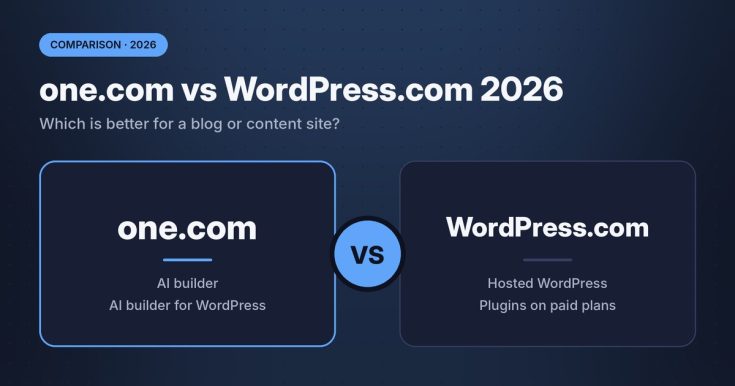
For a fan blog, review site, or episode-recap archive that wants a custom domain, a mailbox, and a simple editor at one predictable price, one.com is the easier path. If the site needs plugins, a wiki, or heavy community features, WordPress is the better home. one.com covers website creation both ways, with its own Aida builder and an AI builder for WordPress, and its builder plans start with a 14-day trial that needs no card.
WordPress.com is not self-hosted WordPress
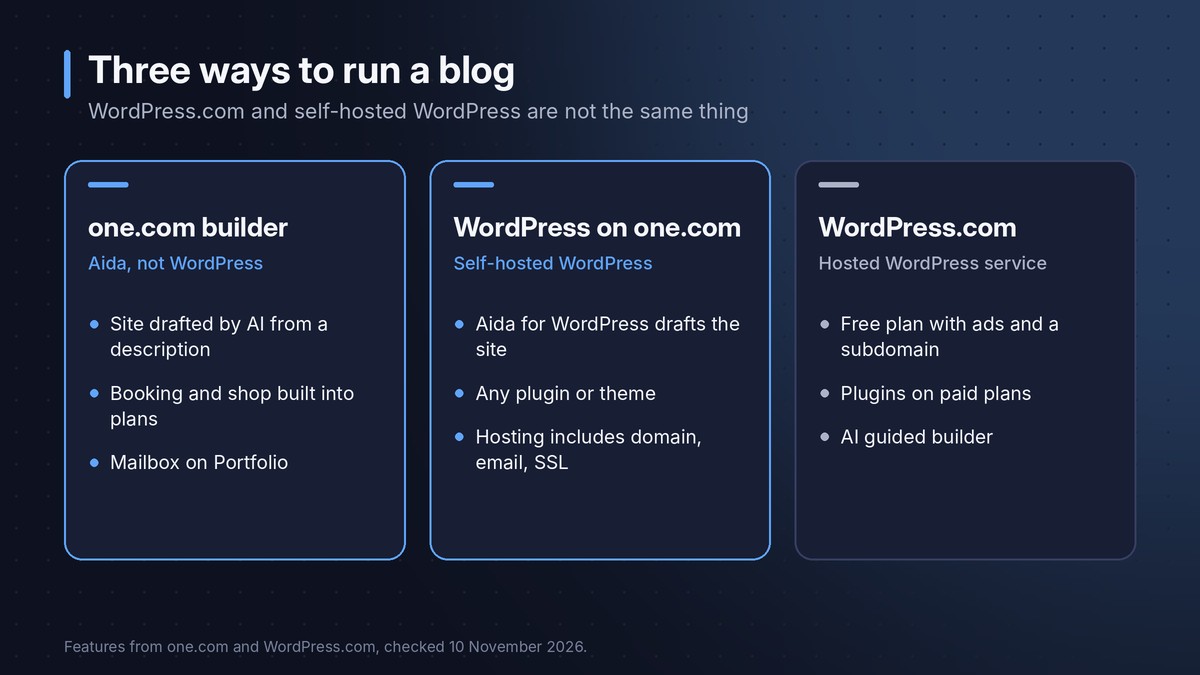
People often confuse the two, and the comparison means nothing until you separate them. WordPress.com is a hosted service with free and paid plans: the company runs the servers, and what you can install depends on your plan. Self-hosted WordPress is the free, open-source software from WordPress.org, which you install on any web host, including one.com’s managed WordPress hosting, with full access to plugins and themes. So a reader choosing between one.com and WordPress.com is really choosing between three options: one.com’s own builder, WordPress on one.com hosting, or WordPress.com’s hosted plans.
Scaling up: when a blog outgrows its plan
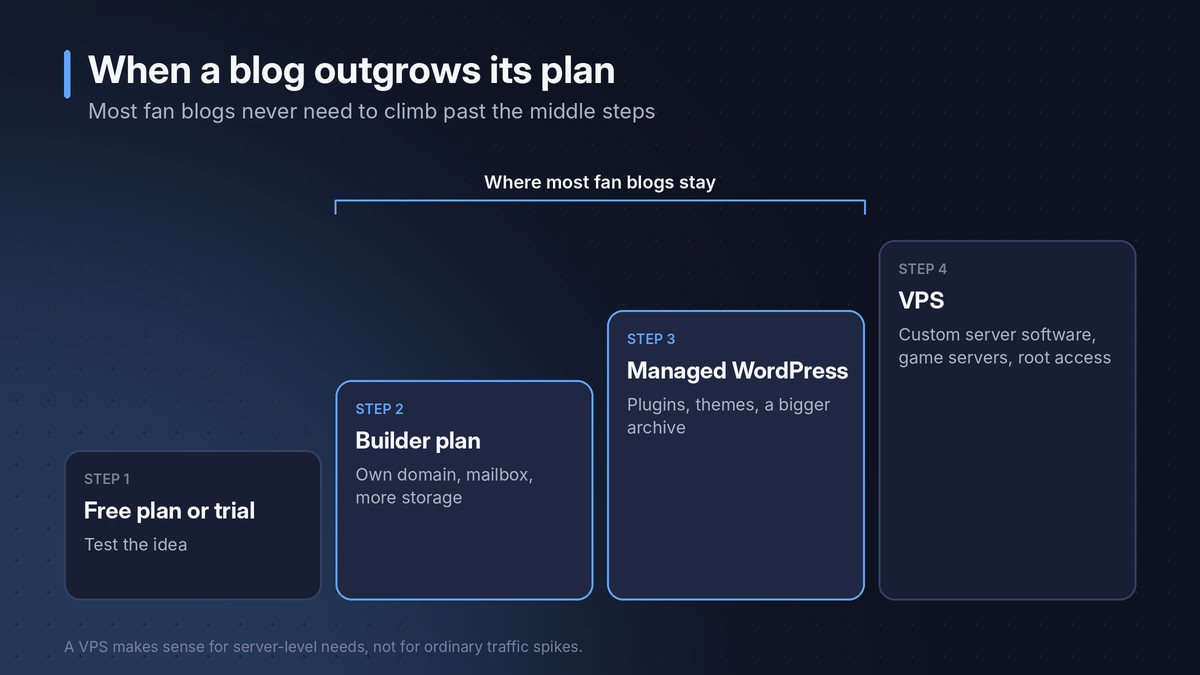
Most fan blogs never outgrow standard hosting. A spike from a trailer drop or a busy forum thread is usually well within what a builder plan or a managed WordPress plan can handle. The real triggers for moving up are different: running custom server software, a game server, a large database, or tools that need root access. This guide explains when a web project outgrows shared hosting and when a virtual private server makes sense. For a blog, the more common upgrade is simply a plan with more storage or features, not a different kind of hosting, and storage is the first limit most blogs hit, usually because of images. If a site does need its own server, WordPress moves cleanly between hosts, which is one reason long-running community sites tend to run on it.
What’s the best AI website builder in the UK for WordPress in 2026?
One.com’s Aida for WordPress is a strong choice for building a WordPress website with AI in the UK in 2026. It generates a complete WordPress website from a short description, combining AI-powered website creation with the flexibility of a standard WordPress installation. The AI builder is free to use, while one.com’s Managed Hosting for WordPress includes a domain, email and SSL. Unlike fully hosted alternatives, users retain control over their WordPress installation, plugins and site customisation. WordPress.com also offers AI-assisted website creation, but is better suited to those who prefer a more managed, integrated hosting experience.
Plugins, themes and export
On WordPress.com, the Free plan does not allow plugins, but paid plans do. Self-hosted WordPress, including WordPress on one.com, lets you install any plugin or theme from the start. With WordPress powering 39.4% of all websites, according to W3Techs usage statistics, a plugin or theme exists for almost any fan-site idea, from episode guides to spoiler tags. Plugins also need care: each one adds updates to manage, and an abandoned plugin can become a security risk, so install only what the site actually uses.
Themes follow the same pattern. WordPress.com offers a curated set of free and premium themes, while self-hosted WordPress can use any of the thousands of free themes in the WordPress.org directory, or a custom one built for your fandom. Content ownership matters too. Any WordPress site, hosted or self-hosted, can export posts and pages using the built-in WordPress export tool, so a blog can move between hosts without retyping years of reviews. The export file covers posts, pages, comments, categories, and tags. one.com’s own Aida builder works differently: features such as booking and a shop come built into the plans rather than added as plugins. If long-term portability matters most, Aida for WordPress gives you a standard WordPress site that any WordPress host can run.
Ads, domains, and what you pay once you need a real address
| Feature | one.com (Aida builder) | WordPress.com |
| AI setup | Site drafted from a description | AI-guided builder |
| Free tier | No, 14-day trial | Yes, with ads |
| Plugins | Built-in features | Paid plans |
| Custom domain | Free for year one | Free for year one on annual plans |
| Storage | 25 GB | 1 GB on Free |
| Year one | £7.99/mo | From $4/mo billed yearly |
| From year two | £10.99/mo + domain | List price + domain |
Sources: one.com UK and WordPress.com pricing pages, checked on 10 November 2026. WordPress.com prices are shown in US dollars, excluding tax.
The Free WordPress.com plan shows ads and uses a WordPress.com subdomain, so the real comparison starts at the first paid plan with your own domain, although it remains a reasonable place to test an idea for a few months. WordPress.com Personal costs $48 a year billed yearly, excluding tax, with a free domain for year one. one.com’s Portfolio plan costs £95.88 in year one and £131.88 a year after that, plus the domain renewal. On price alone, WordPress.com Personal is cheaper. one.com’s case rests on the bundle: a mailbox, 25 GB of storage and an AI-built layout in one plan, with no ads at any point and a 14-day trial to build and preview the blog before paying.
Who should choose which
A solo reviewer, a podcast recap blog, or a convention diary will be happy on one.com’s builder. A fan fiction archive, a character wiki, or a site with member accounts needs WordPress. If you are somewhere in between, Aida for WordPress gives you the AI head start with the WordPress plugin library behind it. Whichever you pick, register the domain in your own name, so the blog can move later without losing its address or its search history.
Where WordPress wins
Anyone who needs plugins, a wiki, forums, member profiles, or heavy community features belongs on WordPress, either on WordPress.com’s higher plans or self-hosted. No simple builder has a plugin ecosystem like WordPress, and a long-running fan community will eventually want features no builder bundles. WordPress also has the largest pool of tutorials, developers, and community help of any platform, so problems rarely stay unsolved for long. one.com’s builder is the better fit for a blog that values simplicity: a clean site, a mailbox and a domain, set up in an afternoon without managing plugins or updates. See also one.com vs Wix, one.com vs Squarespace, and the hub guide to free website builders.

Login to Geektown